
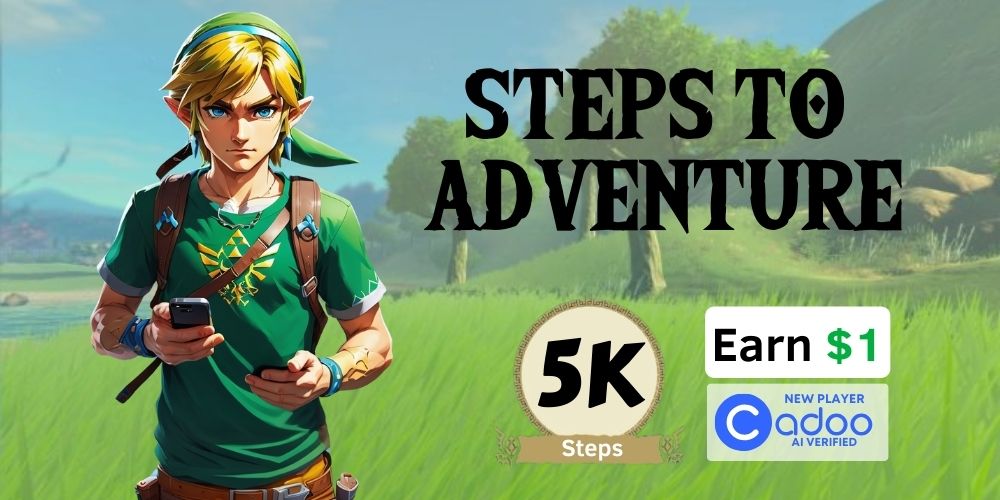
How Step Challenge Games Work on Cadoo
Step challenge games are one of the most popular game types on Cadoo. They are simple, accessible, and perfect for anyone who wants to earn money just by walking. Whether you are a casual walker or a serious step counter, Cadoo step challenges turn your daily movement into a competitive fitness game with real cash prizes.
Join this game at https://cadoo.games
What Is a Cadoo Step Challenge?
A step challenge on Cadoo is a game where you commit to hitting a daily step goal over a set period. You wager money when you join, and if you meet your step goals consistently, you win. Games can last anywhere from a few days to several weeks, and you compete against other players who have made the same commitment.
How Winning Works
Each day of the challenge, you need to reach your step target. At the end of the game, players who met their goals share the prize pool. The more consistently you hit your targets, the more you can earn. Players who fail to meet their goals forfeit their wager to the winners.
Two Ways to Track Steps on Cadoo
Cadoo offers two distinct data sources for step tracking. Understanding the difference is important when joining a step game.
Option 1: Device Health (Apple Health or Google Fit)
This option uses the health platform built into your phone or smartwatch:
- iPhone users — Steps are pulled from Apple Health, which aggregates data from your iPhone sensors and any connected Apple Watch
- Android users — Steps are pulled from Google Fit, which collects data from your phone sensors and connected Wear OS devices
Device Health is the easiest option because it requires no additional setup. Your phone already tracks steps in the background. This is ideal for casual walkers who carry their phone throughout the day.
Option 2: Terra Fitness Trackers
This option uses data from a connected third-party fitness tracker through Cadoo’s Terra integration. Supported trackers include Garmin, Fitbit, Whoop, Polar, Suunto, and more.
Terra trackers are ideal if you:
- Wear a dedicated fitness tracker or smartwatch that counts steps more accurately than a phone
- Do not always carry your phone during walks or runs
- Want wrist-based step counting rather than phone-based
How to Choose the Right Step Data Source
When you join a step challenge game on Cadoo, you will be prompted to select your data source. Here is how to decide:
| Factor | Device Health | Terra Tracker |
|---|---|---|
| Setup required | None | Connect tracker in settings |
| Best for | Phone carriers | Wearable users |
| Accuracy | Good (phone sensors) | Better (wrist sensors) |
| Works without phone | No | Yes |
Important: You Cannot Switch Mid-Game
Once you select a data source for a step game, you are locked in for the duration of that game. Choose carefully before joining. If you use a Garmin watch daily, select your Garmin tracker. If you always have your phone on you, Device Health works perfectly.
Step-by-Step Guide to Joining a Step Challenge
- Open Cadoo and browse available games, or tap Create Game to start your own
- Select a Step Challenge game from the list
- Review the details — check the daily step goal, game duration, and wager amount
- Choose your data source — select Device Health (Apple Health/Google Fit) or a connected Terra tracker
- Place your wager and confirm your entry
- Start walking and hit your daily step goal every day of the challenge
How Step Progress Is Tracked
Cadoo checks your step data throughout the day. Your progress updates automatically as your tracker or phone syncs new step counts. You can open the app at any time to see:
- Your current step count for today
- Whether you have reached today’s goal
- Your streak of consecutive goal days
- How other players in the game are performing
Tips for Winning Step Challenges
Set Realistic Goals
Choose games with step goals you can consistently reach. If you normally walk 6,000 steps a day, a 5,000-step challenge is a safe bet. A 15,000-step challenge might cause you to fail on busy days.
Make Steps Part of Your Routine
Park farther from entrances. Take the stairs. Go for a short walk after meals. Small habits add up quickly and make hitting your daily target effortless.
Sync Early and Often
Make sure your tracker or phone syncs with Cadoo before the day ends. Open the Cadoo app in the evening to confirm your steps have been recorded. Do not wait until midnight to check.
Use Reminders
Set a daily reminder in the late afternoon to check your step count. This gives you time to go for an extra walk if you are behind on your goal.
Start Your First Step Challenge Today
Step challenges on Cadoo are the easiest way to start earning money from your daily activity. Download Cadoo from the App Store or Google Play, pick a step goal you can crush, and start walking your way to winnings.
Are you a fitness brand? Create your own branded fitness challenge at https://cadoo.games/cyoc
Cadoo works for everyone — whether you're a fitness brand looking to boost fitness brand marketing and engagement through branded fitness challenges, a corporate wellness program manager building employee wellness and workplace fitness challenge initiatives for team building fitness and employee engagement, a personal trainer or fitness professional motivating clients through group fitness and coaching, or a family looking for a family fitness challenge and community fitness experience. With real money on the line, Cadoo is the ultimate fitness motivation and workout accountability tool — the fitness challenge app where you get paid to exercise with money motivation fitness. Challenge your friends in a group fitness challenge, try fitness with friends, or start a neighborhood fitness movement. For brands, explore fitness sponsorship and fitness brand activation opportunities with fitness instructor partnerships.
Questions? Contact Tim Parsa, Co-Founder and CEO of Cadoo — the fitness gaming platform. Reach out at tim@cadoo.io


